
Modifiers
How to create and manage modifiers within a payer contract.
Modifiers are billing adjustments that affect how specific charges are reimbursed under a contract. Each modifier ties a modifier code to a plan type and optionally a license number.
Viewing Modifiers
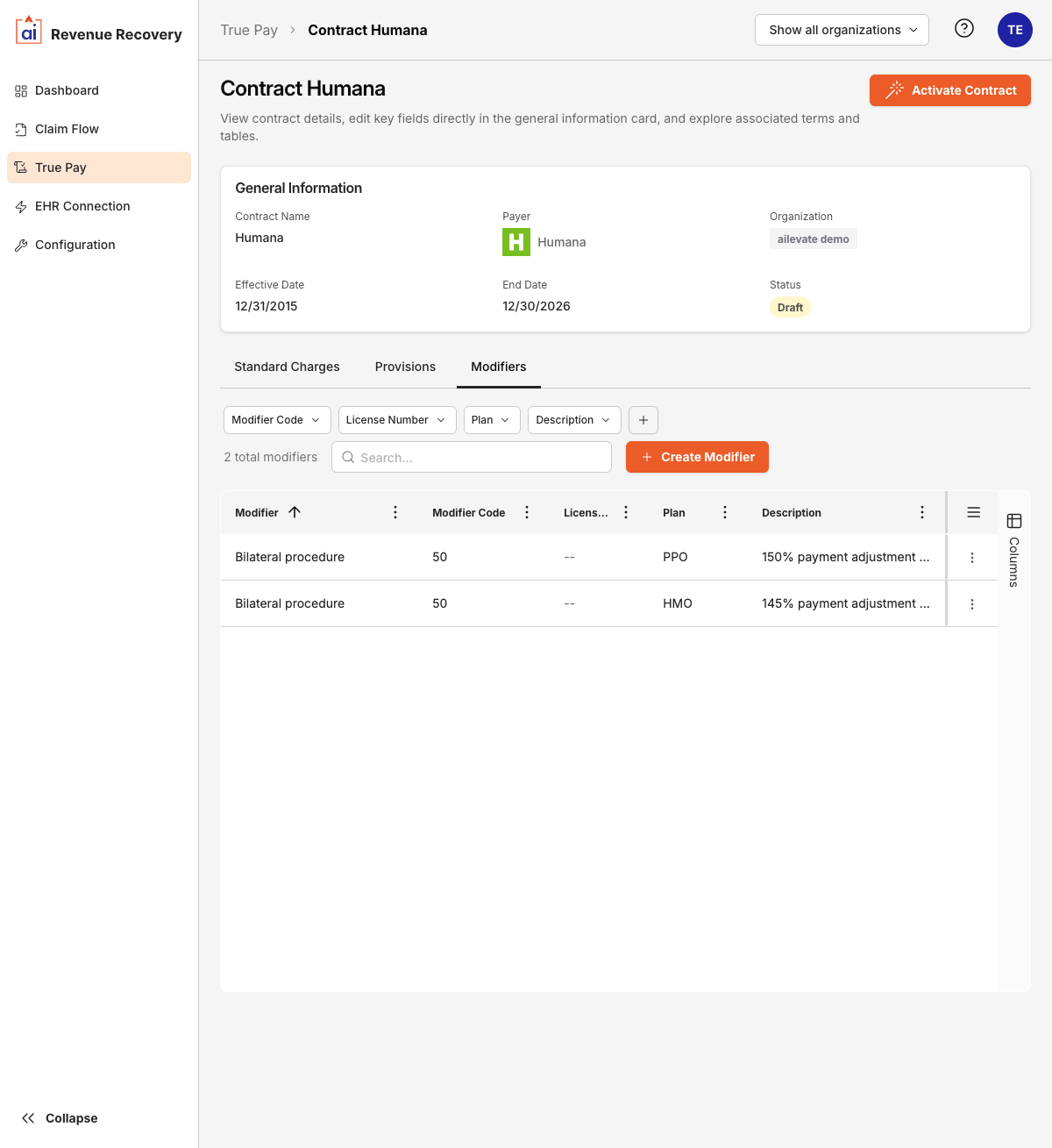
Within a contract's detail view, select the Modifiers tab. The table shows:
| Column | Description |
|---|---|
| Modifier | The modifier name or label |
| Modifier Code | The billing modifier code |
| License Number | The associated license or provider number (if applicable) |
| Plan | The plan type this modifier applies to (PPO, HMO, EPO, or POS) |
| Description | Notes about the modifier's purpose or effect |
Filtering Modifiers
Filter the list using the Modifier Code, License Number, Plan, or Description filter buttons above the table.
Creating a Modifier
- Open a contract from the Contracts list.
- Click the Modifiers tab.
- Click + Create Modifier.
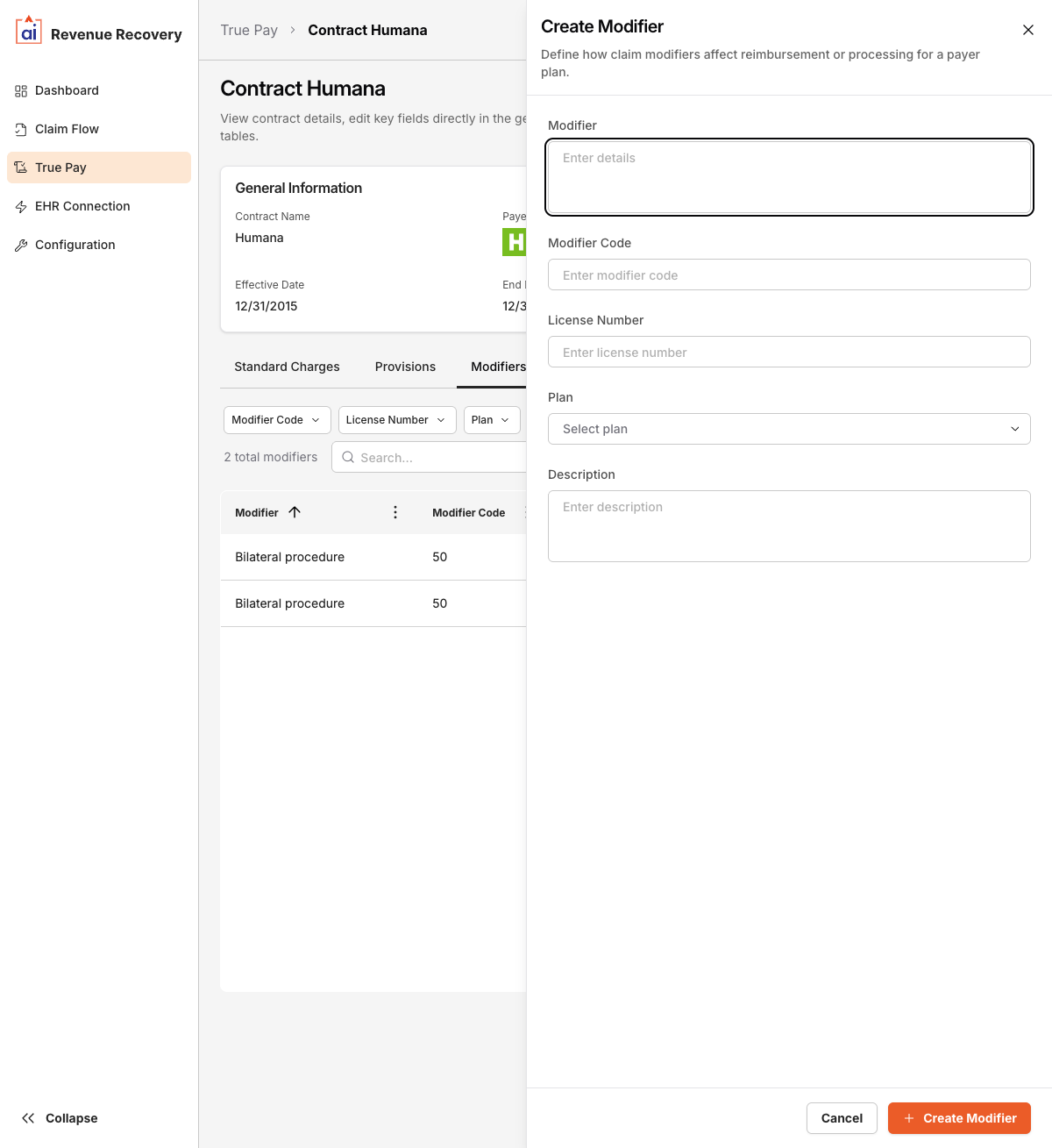
- Fill in the form fields:
| Field | Required | Notes |
|---|---|---|
| Modifier | Yes | The modifier name or label |
| Modifier Code | Yes | The billing modifier code |
| License Number | No | Optional license or provider number |
| Plan | No | The plan type this modifier applies to: PPO, HMO, EPO, or POS |
| Description | Yes | Explanation of the modifier's purpose or effect |
- Click Save.
Editing and Deleting Modifiers
Click the Menu (⋮) button on a modifier row to Edit or Delete it.
Updated 6 months ago
Did this page help you?